


AAA Auto Club
4.88.75K Reviews
App Specs
- Version
- 3.9.1
- Updated On
- License
- Free
- Downloads
- 1,000,000+
- Developer
- American Automobile Association, Inc.
- Categories
- Lifestyle
- Platform
- Android, iOS
Screenshots
 Analysis by AppCompare
I judge a roadside app less by its broad promises than by how useful it is when a routine drive turns into a stressful one. AAA Auto Club is a free lifestyle app from American Automobile Association, Inc., built around roadside help, travel planning and member benefits. That mix makes sense if you already rely on AAA, but the value is not identical for every driver: it depends on whether you use the services and choices the app brings together.
Trust begins with the job you need it to do
For me, the clearest reason to keep this app handy is practical: it gives AAA members a mobile route to roadside assistance and travel-related tools. A request for help is a different kind of app interaction from browsing a discount. It may involve sharing information about your situation and location so assistance can be coordinated, so I would open it with a specific purpose in mind rather than treat it as a general-purpose travel feed.
That distinction matters when you are deciding what to install. The app is not a replacement for sound roadside preparation, and having it does not make every breakdown simple. I would still keep a charged phone, know how to describe where I am, and make sure I understand my membership before a trip. The app can make access more convenient; it cannot remove the uncertainty of waiting for help in an unfamiliar place.
What to check before relying on it
One useful habit is to open the app at home, while you have time, and look at the account and membership information available to you. Confirm that you can sign in and that the details you expect to use are accessible. That small check is more valuable than discovering a login snag beside a stopped car. I would also review any visible settings and choices rather than assume that the app’s defaults match my preferences.
I’m careful not to treat a familiar brand as proof of any particular privacy practice. The sensible approach is to read the permission prompts when they appear, consider whether each one fits the action I am trying to take, and make choices deliberately. A location-related request can be relevant to getting help or finding nearby travel options, but I would not grant access automatically just because an app has a map. If I decline a permission, I would check which function still works before a trip instead of finding out in an urgent moment.
Where personal information enters the experience
Roadside requests and account access naturally call for more care than casually checking a route. I recommend entering account details only when you are ready to use the service, keeping your sign-in information private, and avoiding sensitive account activity on a shared device. If you use the app on a phone that other family members borrow, think about who can open it and whether the device itself is protected.
Discount browsing is a different decision. It can be convenient to compare a member offer while planning a stay or rental, but I would weigh the benefit against the effort of checking its terms and whether it suits the trip. A discount is useful only when it applies to something you actually need. I would not let an alert create a rushed booking; opening the offer to review its conditions is a better step than assuming every promotion is automatically the best option.
Worth Reading Before You Choose

EA SPORTS FC Mobile 26 Is a Bigger Football Game, but It Takes Time

Flipboard Shows What News Apps Must Do Beyond the Feed

Switching to Android Auto Means Rethinking Your Driving Routine

Google Calendar Makes a Crowded Week Easier to Manage

Ludo King Makes the Most of the Minutes Between Plans

Baby Panda World Brings Quick Play to Modern Phones, but Its Game Library Feels Busy
A measured recommendation
The app has an average rating of 4.8 from around 37,000 ratings, and it has been installed over a million times. Those figures suggest that many people find a reason to use it, but they do not tell me whether its tools fit your membership, travel habits or preferences. It is rated for everyone, and its current version is 3.7.2 for devices running Android 8.0 or later. I would check compatibility and account access before depending on it for a trip.
My cautious verdict is that this is most compelling for AAA members who want roadside access and travel utilities in one place. If you rarely drive, do not use membership benefits, or prefer to arrange help through another service, the extra app may not earn a place on your phone. I would install it when its functions solve a real need, review permissions and account choices as I go, and keep a backup plan for the moments when a phone, signal or login is not available.
Your Roadside Hero
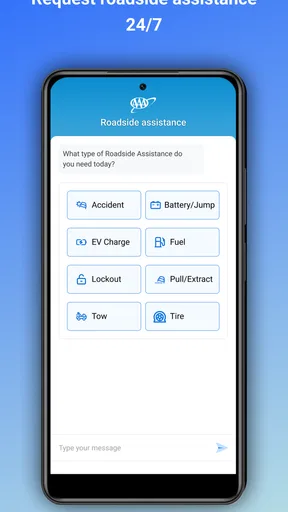
Alright, picture this: you're cruising down the highway, music blasting, when suddenly, bam! Flat tire. No worries, because with the AAA Auto Club app, help is just a tap away. The app’s roadside assistance feature is like having a superhero on speed dial. It’s super easy to request help, and the app even tracks the service vehicle’s progress, so you’re not left wondering when help will arrive.
Not only does the app offer roadside assistance, but it also provides detailed guides on how to tackle minor car issues yourself. So, whether you’re dealing with a dead battery or a pesky low tire pressure warning, the app’s got you covered with step-by-step instructions.
More Than Just Towing
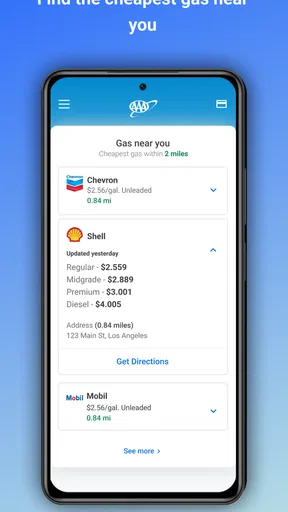
The app isn’t just about getting you out of tight spots. It’s also packed with features that make everyday driving a breeze. Need to find the nearest gas station or the best route to avoid traffic? The app’s got a nifty GPS feature that does just that. It’s like having a navigator who knows all the shortcuts!
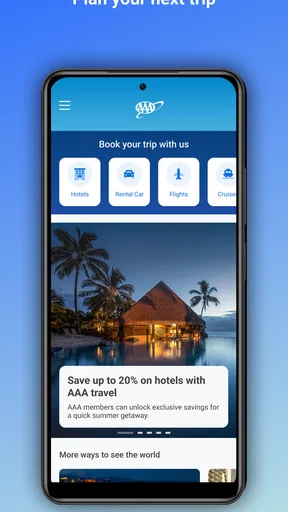
For those who love planning road trips, the app offers a trip planner that helps you map out your journey with ease. It even suggests fun stops along the way, making sure your trip is as enjoyable as the destination. The app also keeps track of your travel history, so you can relive those epic road trips anytime you want.
Member Perks and Savings
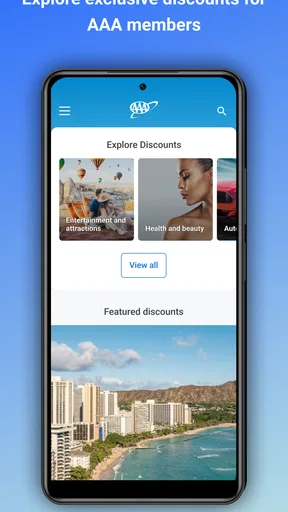
One of the coolest things about the app is the access it provides to exclusive member discounts and deals. From hotel stays to car rentals, the app helps you save a pretty penny on all things travel-related. It’s like having a VIP pass in your pocket!
Plus, the app sends you alerts about new discounts and offers, so you never miss out on a chance to save. Whether you’re booking a last-minute trip or planning a family vacation, the app makes it easy to find the best deals.
Easy to Use and Navigate
Now, let’s talk about the app’s interface. It’s clean, intuitive, and user-friendly—perfect for those who aren’t exactly tech-savvy. Navigating through the app is a breeze, with everything you need just a tap away. Whether you’re accessing your membership details or planning your next adventure, the app makes it feel like a walk in the park.
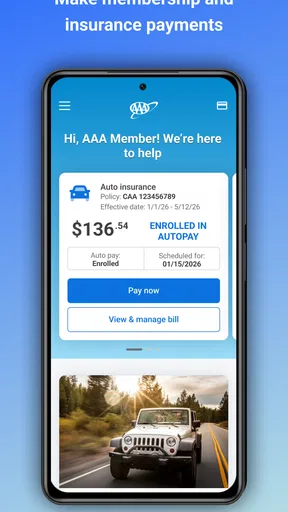
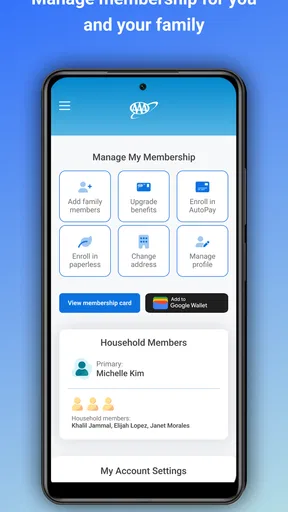
Updating or renewing your membership is also straightforward within the app. No need to fuss over paperwork or long phone calls—everything is handled seamlessly, allowing you to focus on the fun stuff, like planning your next road trip.
Putting the tools to work
For an ordinary day, I would use the app before setting off rather than wait until I need it. On a longer drive, I’d plan the route, pick out a sensible stop, and check that membership access works. If a tire warning appears, the self-help guidance can help me understand the immediate issue, while roadside assistance remains the safer choice if I cannot address it confidently. That separation is useful: information can guide a decision, but it should not pressure anyone into attempting a repair beyond their ability.
For a family trip, the practical benefit is less about one impressive feature and more about keeping related tasks together. I can think through fuel, route, possible stops, and travel offers without switching between several unrelated services. I would still compare navigation with a dedicated maps app if live traffic detail is my main concern, and compare hotel or rental options elsewhere before committing. AAA’s advantage is the combination with membership; a specialist app may be more focused on a single task.
A realistic breakdown also shows why preparation matters. If I get a flat on a busy road, I would first move to a safe place if possible, then use the assistance option rather than trying to handle the tire beside traffic. The ability to follow a service vehicle’s progress can ease the wait, but I would not treat an estimated arrival as a guarantee or leave the vehicle unattended without considering the surroundings. In that situation, the app is a coordination aid, not a substitute for personal safety judgement.
Who gets the most from it
I’d recommend it most to drivers who already use AAA and want a single starting point for help, membership tasks and trip preparation. It is also a reasonable fit for people who make occasional long drives and would rather check their options before departure than search under pressure. The travel tools and member offers can be useful even when there is no emergency, as long as they match the way you plan and book.
On the other hand, a driver who already has a roadside provider they prefer may gain little from installing another assistance app. Someone who primarily wants turn-by-turn navigation may be better served by a dedicated maps tool, while a traveler who rarely uses discounts may not care about offer alerts. The app’s broad role is a strength for an existing member, but it also means that people seeking one highly specialized tool might prefer a more focused alternative.
There are a few sensible questions to settle before a journey: can you access your membership account, do you know which services your membership covers, and will you have a working phone connection where you are going? I would answer those at home and keep the relevant membership details available through a backup method when practical. If you are traveling with someone else, agree on who will make the request and share the location; avoiding two people trying to coordinate separately can reduce confusion.
I would also be selective with notifications. Alerts can surface offers you might otherwise miss, but frequent prompts can become noise, especially if you are not planning travel. Keep the ones that serve a clear purpose and reconsider the rest. That is a small but useful form of control: the app should support your plans, not turn every drive into a stream of promotions.
Final Thoughts
All in all, the app is like having a personal travel assistant in the palm of your hand. From roadside assistance to member discounts, it provides a collection of tools that can make travel easier when they fit your needs. Whether you're a seasoned road tripper or someone who wants a clearer way to reach roadside help, it is worth considering if you are an AAA member.
So, if you’re ready to make your driving experience smoother and more enjoyable, give the app a spin. Trust me, you’ll wonder how you ever hit the road without it!
Pros
- User-friendly interface for easy navigation.
- Real-time roadside assistance tracking.
- Comprehensive trip planning features.
- Access to exclusive member discounts.
- Seamless integration with GPS services.
Cons
- Limited offline functionality.
- Occasional app crashes reported.
- Membership required for full access.
- Customer service response time varies.
- Some features need constant updates.
FAQs for AAA Auto Club
What features does the AAA Auto Club app offer?
The AAA Auto Club app provides a range of features including roadside assistance, trip planning, hotel and restaurant discounts, and access to digital membership cards. It also offers tools like fuel price finders and travel guides, making it a comprehensive resource for both daily commutes and long-distance travel.
Is the AAA Auto Club app free to use?
Yes, the AAA Auto Club app is free to download for both Android and iOS users. However, to access most of its features, you need a valid AAA membership. Some features and discounts are exclusive to members, so while the app itself doesn’t require a fee, membership does.
How reliable is the roadside assistance feature in the app?
The roadside assistance feature in the AAA Auto Club app is highly reliable, offering 24/7 support for issues like flat tires, dead batteries, and lockouts. Users can request help directly through the app, which also provides real-time updates on the estimated arrival time of assistance, ensuring a smooth and stress-free experience.
Can I use the app to find AAA discounts while traveling?
Yes, the app efficiently locates discounts available to AAA members. It provides information on various offers, including savings on hotels, car rentals, dining, and attractions. This feature is especially useful for travelers looking to maximize their savings and enhance their travel experience with exclusive member deals.
Does the app track my membership details and renewals?
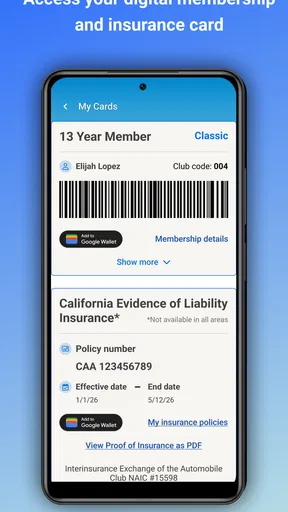
Absolutely, the AAA Auto Club app allows users to manage their membership details and receive renewal reminders. It securely stores your digital membership card, making it easy to access your information anytime. This feature ensures you always have your membership details handy without the need for a physical card.


